Use psql for
Scripts, SSH sessions, repeatable commands, migrations, and exact text output.
psql GUI for Mac
PostgresGUI connects to the same PostgreSQL databases as psql. Browse tables, run SQL, inspect wide results, edit rows, view JSON, and export CSV in a native Mac app.
Scripts, SSH sessions, repeatable commands, migrations, and exact text output.
Table browsing, wide results, row editing, JSON inspection, and exploratory SQL.
A practical PostgreSQL setup that covers automation and visual investigation.
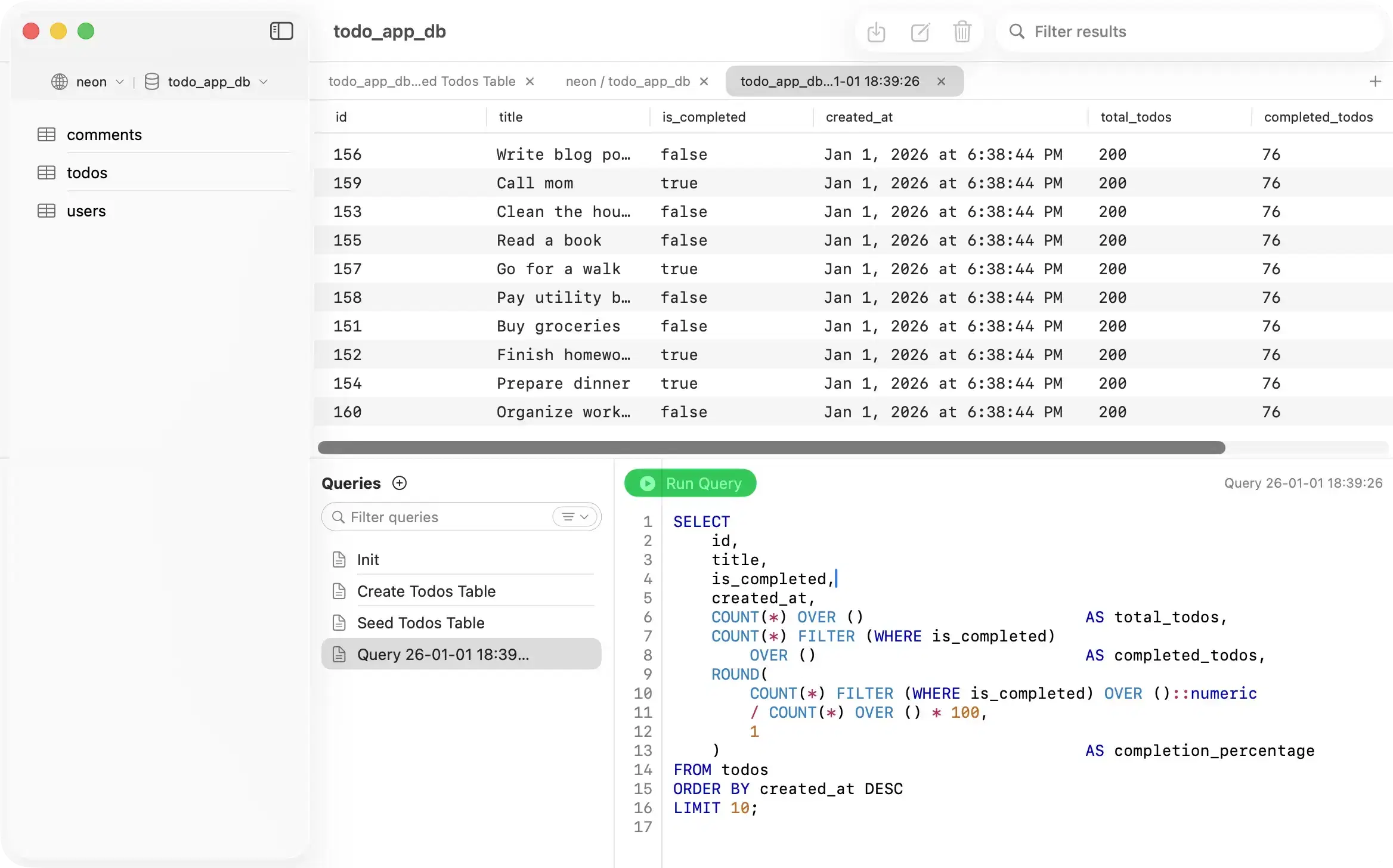
Terminal output is efficient until a result has many columns, long JSON values, or enough rows to lose the context. A grid keeps column names, values, and the SQL visible together.
| Task | psql | PostgresGUI |
|---|---|---|
| Run SQL | Yes | Yes |
| Use in scripts and CI | Yes | No |
| Browse tables visually | Text commands | Yes |
| Edit a row directly | Write SQL | Yes |
| Inspect wide results | Terminal output | Scrollable grid |
| Connect over SSH | Through your shell | Built-in tunnel settings |
| Export data | \copy | CSV export |
Need psql itself first? Follow the Mac installation guide. For a task-by-task comparison, read psql vs PostgreSQL GUI.