Looking for a pgAdmin Alternative for Mac?

pgAdmin is powerful but feels like a web app shoehorned into a Mac window. PostgresGUI is a native Swift app built from the ground up for macOS — faster startup, lower memory, cleaner UI.

Common frustrations

Why Mac developers look for an alternative

pgAdmin is the default and the most widely used PostgreSQL client, but on Mac it carries baggage from its web-first architecture. Here's what developers run into.

Runs a local web server

pgAdmin 4 spawns a Python/Flask server in the background and renders the UI in an embedded browser. Startup is slow and the process tree looks nothing like a native app.[1]

Heavy memory + disk footprint

A full pgAdmin install weighs several hundred megabytes, and the running process routinely consumes hundreds of MB of RAM before you open a single query tab.[1]

Non-native UI on macOS

Because the UI is served by a local web server and rendered in a webview, it doesn't match system font smoothing, dark-mode transitions, or native keyboard shortcuts.

Setup friction on a fresh Mac

Installing pgAdmin on macOS often involves pkg installers, Python dependencies, or Homebrew formulas. New team members lose time before their first query runs.

The alternative

Built for Mac, not ported to it

PostgresGUI is written in Swift and SwiftUI, distributed through the Mac App Store, and starts instantly. You get a focused Postgres client without the operational baggage.

Native

Native Swift, no web server

PostgresGUI is a native macOS binary. No embedded Python, no local HTTP server, no webview — just Swift talking to Postgres over libpq.

Lightweight

Tiny install, instant startup

A few megabytes installed and it launches in the time it takes pgAdmin to print its splash screen. Lower memory pressure, fewer spinning beachballs.

Focused

Mac-first UX

System fonts, native dark mode, standard Mac shortcuts, and a focused query-and-browse layout. It gets out of the way.

Transparent

Open source

Audit the code, build it yourself, or contribute back. No telemetry, no phone-home.
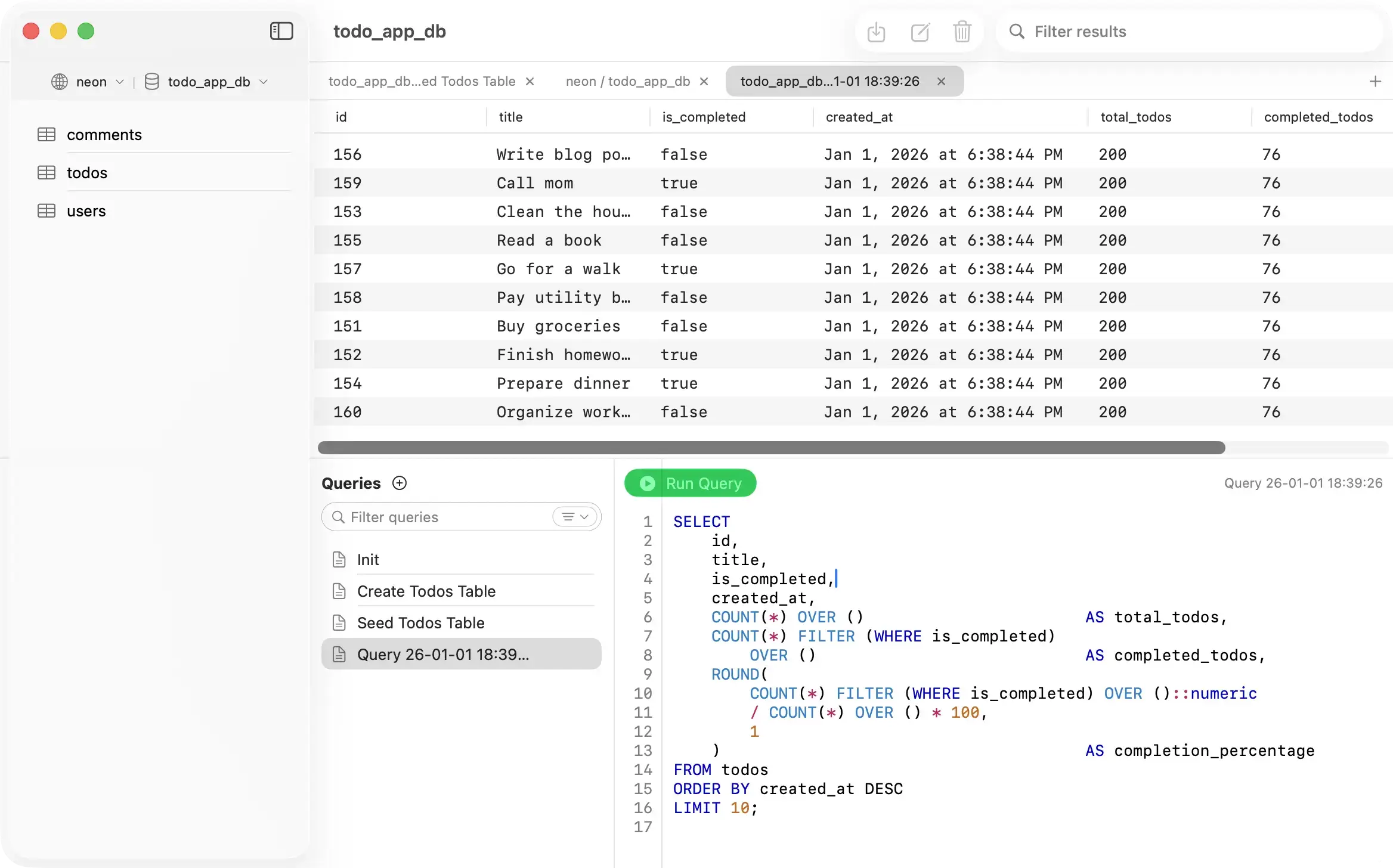
PostgresGUI - Native Mac PostgreSQL client
Side by side

PostgresGUI vs pgAdmin

A quick comparison on the dimensions that matter most for day-to-day Mac development.

Architecture
PostgresGUI
Native Swift / SwiftUI
pgAdmin
Python + Flask + webview
Install size
PostgresGUI
~3.3 MB
pgAdmin
Several hundred MB
Cold startup
PostgresGUI
Instant
pgAdmin
Several seconds
Open source
PostgresGUI
pgAdmin
Price
PostgresGUI
$one-time
pgAdmin
Free
Telemetry
PostgresGUI
None
pgAdmin
Opt-out usage reporting
Sources
Last updated: 2026-04-10
Honest assessment

Which tool is right for you?

Both tools are good at what they do. Pick the one that matches how you actually work.

PostgresGUI

Choose PostgresGUI if

Recommended
  • You work on a Mac and want a native app that feels like one.
  • You care about cold-startup time and memory footprint.
  • You want to run queries and browse data without extra ceremony.
  • You want open source without a Python stack to maintain.
pg

Choose pgAdmin if

  • You need a full DBA toolkit with backup/restore wizards, replication dashboards, and grant management.
  • You run on Linux or Windows and want a consistent experience across platforms.
  • You work with multiple Postgres versions and need the deepest feature coverage of server-side tooling.

Common questions

Can PostgresGUI replace pgAdmin entirely?
For most day-to-day Mac development — connecting, running queries, editing rows, exporting data — yes. For heavy server administration (complex role management, backup wizards, replication monitoring) pgAdmin still has the deeper toolkit.
Is PostgresGUI also open source?
Yes. The source is on GitHub and you can build and run it yourself at no cost. The Mac App Store price pays for signed, notarized builds and automatic updates.
Does it phone home or collect telemetry?
No. PostgresGUI ships with zero telemetry. All connections and queries stay local on your Mac.
Does it support SSH tunnels like pgAdmin?
Yes. SSH tunneling is built into the connection dialog — host, port, username, and key or password.
What macOS versions are supported?
PostgresGUI targets recent macOS releases and is optimized for Apple Silicon. See the App Store listing for the current minimum version.