Looking for a Postico Alternative for Mac?

Postico is a beloved native Mac Postgres client — and PostgresGUI shares the same philosophy. Here's an honest comparison so you can pick the one that fits your workflow.

Things to consider

Why developers shop around

Postico is a great app with a long history. PostgresGUI is newer and takes a few different bets. Here are the points most commonly raised when developers evaluate alternatives.

Closed source

Postico is proprietary. You can't audit the code, build it yourself, or contribute fixes upstream.

Paid license model

Postico requires a paid license for its full feature set. Prices and tiers change over time — check the latest on their site.[1]

No public roadmap

Postico's release cadence and priorities are set privately. PostgresGUI's roadmap and issue tracker are on GitHub.

Feature parity evolving

Both apps are moving targets — what's missing in one today may ship next month. Always check current feature lists before switching.

What PostgresGUI brings

A fully open, Mac-native alternative

If you're choosing between two native Mac Postgres clients, here's where PostgresGUI leans in.

Open

Open source end to end

The full source is on GitHub. Read it, build it, fork it, or send a PR. Nothing is hidden.

Lightweight

Tiny footprint

Installs in a few megabytes and stays out of the way of everything else running on your Mac.

Own it

One-time purchase

Pay once on the Mac App Store, use it forever. No subscription, no device cap to manage manually.

Private

No telemetry

PostgresGUI collects nothing. Your queries and connection strings stay on your machine.
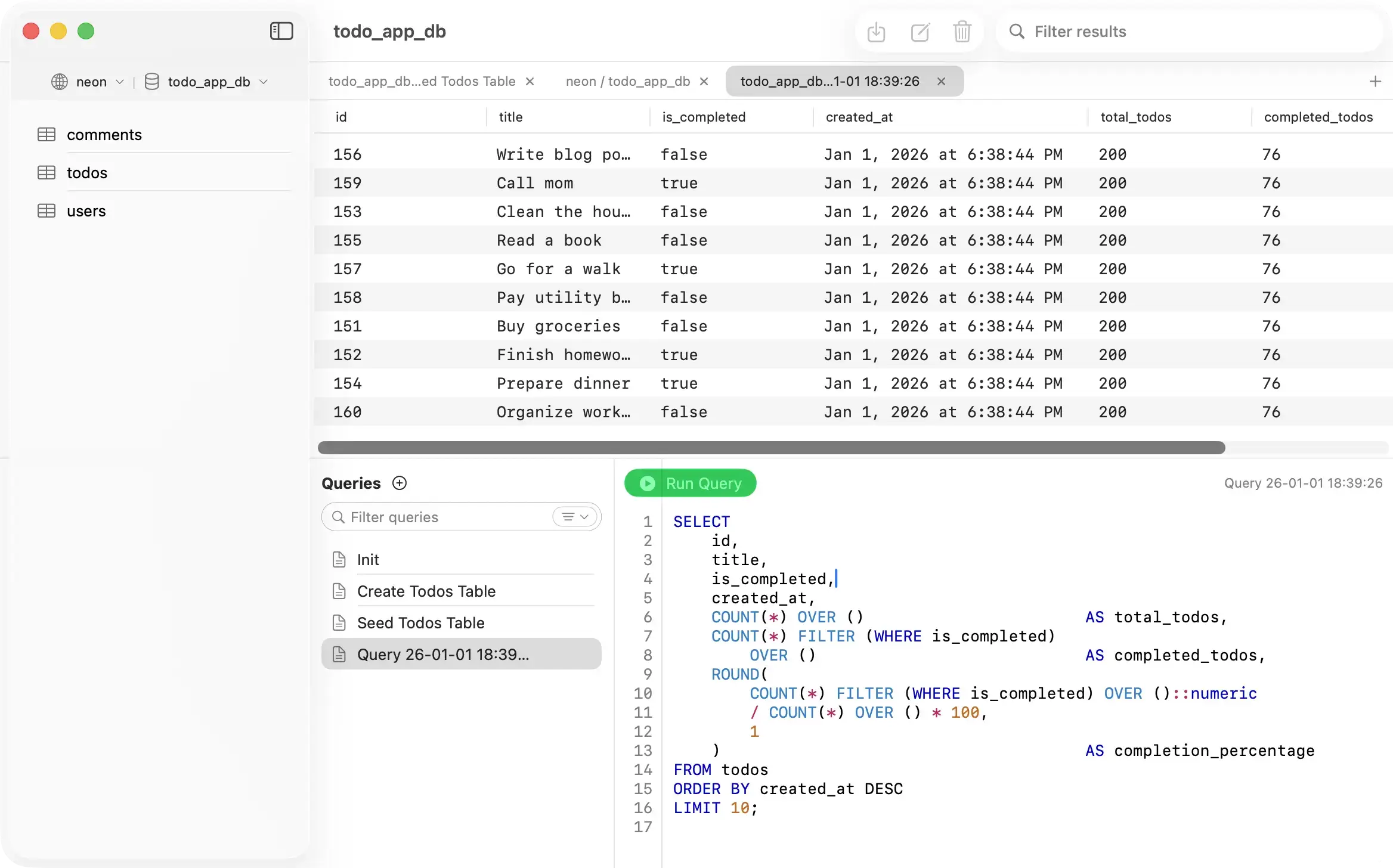
PostgresGUI - Native Mac PostgreSQL client
Side by side

PostgresGUI vs Postico

Both are native Mac apps, so the differences come down to licensing, pricing, and philosophy.

Platform
PostgresGUI
macOS (native Swift)
Postico
macOS (native)
Open source
PostgresGUI
Postico
Pricing model
PostgresGUI
$one-time
Postico
Paid license (check vendor)
Telemetry
PostgresGUI
None
Postico
Per vendor policy
Distribution
PostgresGUI
Mac App Store
Postico
Direct + Mac App Store
Public roadmap
PostgresGUI
Postico
Sources
Last updated: 2026-04-10
Honest assessment

Which tool is right for you?

Both are solid native Mac Postgres clients. The choice is mostly about how much you care about open source and pricing.

PostgresGUI

Choose PostgresGUI if

Recommended
  • You value open source and want to audit or contribute to the code.
  • You prefer a simple one-time Mac App Store purchase over a license file.
  • You want a public roadmap and an open issue tracker.
  • You want to ship fixes upstream when you find something broken.
Po

Choose Postico if

  • You've used Postico for years and are happy with its specific workflow.
  • You rely on a particular Postico feature that PostgresGUI hasn't built yet.
  • You prefer a vendor with a long commercial track record.

Common questions

Is PostgresGUI a drop-in replacement for Postico?
For core tasks (connect, browse, query, edit rows, export) the two apps overlap heavily. Feature sets evolve; check current release notes if a specific feature is critical to you.
Why would I switch if Postico works fine for me?
If Postico is working for you, stay. The main reasons to switch are: you want open source, you want to stop renewing a license, or you want a public roadmap you can influence.
Does PostgresGUI support SSH tunnels?
Yes. SSH tunneling is built into the connection dialog.
Can I import my Postico connections?
Not automatically today. Connection import is on the roadmap — file an issue on GitHub if you want it prioritized.