The Postgres client designed for Mac.

Lightweight 32.8 MBOpen sourceBeautiful UI
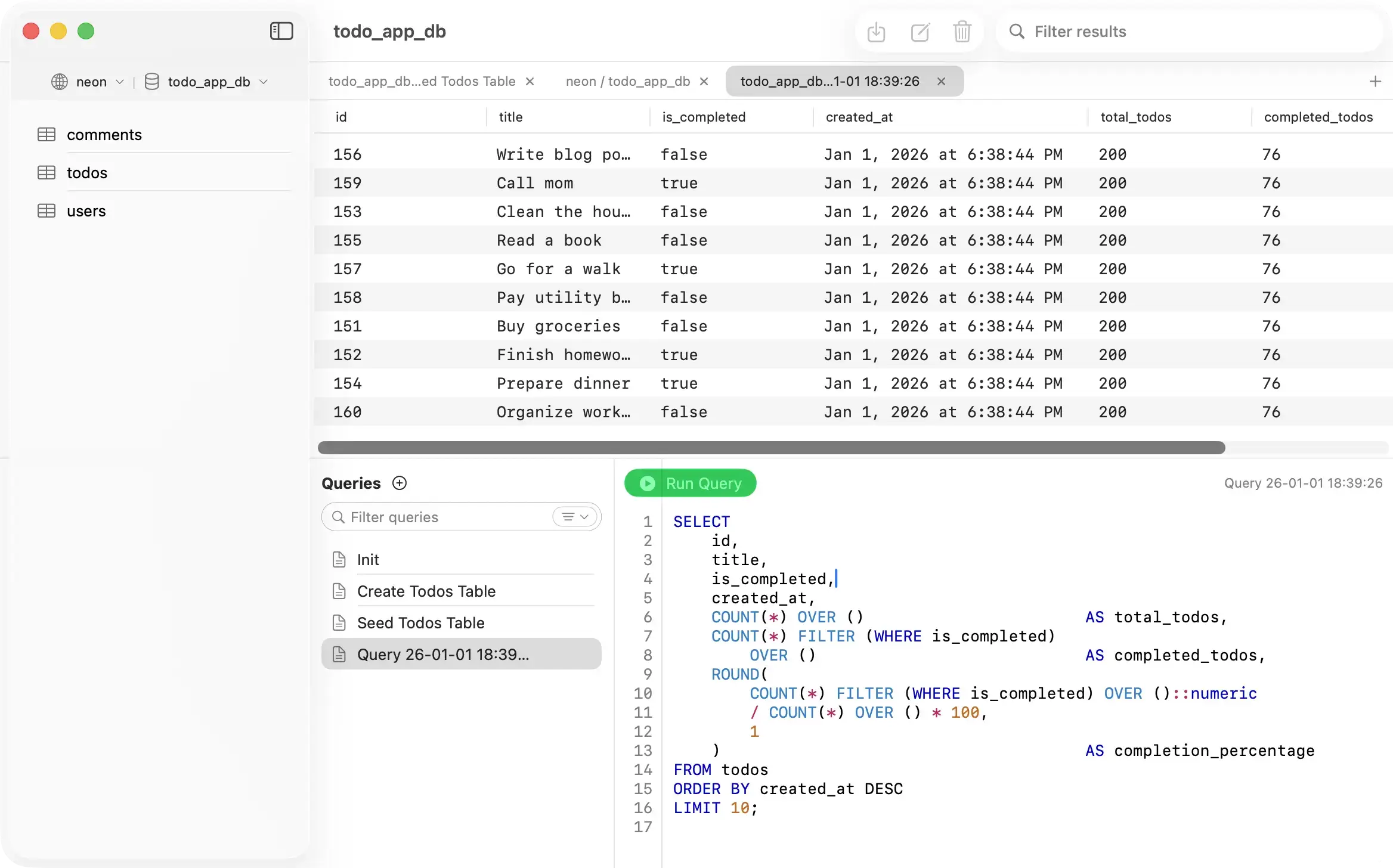
PostgresGUI - Query editor with results
Features

Why PostgresGUI?

// Fast, native PostgreSQL without the bloat

Open Source

View code on GitHub

Native

Written in Swift
No Electron

Lightweight

32.8 MB

No Subscription

Buy once, use forever

No Data Collection

All data stays local on your Mac

Minimalistic UI

No bloated features

Loved by developers

What people are saying

Screenshots

Crafted for Ease of Use

PostgresGUI Welcome Screen
[1/12]

Welcome Screen

Pricing

Pay once. Own it forever.

No subscription. No telemetry. No asterisks. Get it from the App Store — or build it yourself from source.

Build from source

For developers who want to audit or tinker.

$0Free forever
  • Full source code on GitHub
  • Audit every line of code
  • Clone, build and run locally
  • Fork, modify or contribute back
View on GitHub
Recommended option: Recommended

App Store

Buy once. Own it forever. No subscription.

$12.99one-time purchase
  • Install in one tap — no Xcode, no terminal
  • Verified and notarized by Apple
  • Automatic updates via the App Store
  • Works on all your Macs with one purchase
  • Reinstall on any Mac with your Apple ID
Download on the App Store
FAQ

Questions? Answers.

What macOS versions are supported?
PostgresGUI requires macOS 26.0 or later. It's optimized for Apple Silicon but also works on Intel Macs.
Do I need a subscription?
No. PostgresGUI is a one-time purchase. Pay $12.99 once and use it forever. No monthly fees, no recurring charges, no hidden costs.
Do you collect my data?
No. PostgresGUI does not collect any telemetry, analytics, or usage data. All your database connections and queries stay completely local on your Mac.
Does PostgresGUI support other databases besides PostgreSQL?
No. PostgresGUI is designed specifically for PostgreSQL only. It does not support MySQL, SQLite, MongoDB, or other database systems.
How does PostgresGUI compare to TablePlus?
TablePlus is a powerful multi-database tool with advanced features like code review, plugin systems, inline editing, advanced filters, and support for 15+ database types. PostgresGUI prioritizes simplicity and a lightweight design over many features. It offers a cleaner interface and is open source.
Does PostgresGUI have automatic query history?
Not yet. What we do have is saved queries with folder organization and search, so you can keep your frequently-used queries organized and findable. The editor also auto-saves as you type.
Does PostgresGUI support SSH tunneling?
Yes. You can connect to remote PostgreSQL servers through an SSH tunnel directly from the connection dialog. Just toggle SSH Tunnel on and enter your SSH host, port, username, and authentication details.
If it's open source, can I build it myself for free?
Yes. You can clone the repository from GitHub and build/package the app yourself at no cost. The source code is fully available.